One stream in.Live everywhere in HD.
SlimCast puts you live on Twitch, YouTube, Kick and anywhere else at once — in full HD, from a single upload light enough for real-world internet. No second PC, no servers to rent. Just OBS.
2 free credits when you add your card
You send a whisper. Platforms get a broadcast.
One modest HEVC stream leaves your machine — that’s the whole ask. The fan-out, the re-encoding, and the delivery all happen on datacenter bandwidth, not yours.
- From
- OBS on your PC
- Upload needed
- 9 Mbps
- Codec
- HEVC, hardware-encoded
- Effort
- Press Start
- Platforms
- 3 connected + custom RTMP
- Quality
- Broadcast HD
- Extra upload
- None
- Extra PCs
- Zero
Live in four steps.
Connect your platforms
Link Twitch, YouTube, or Kick in a click — or paste a stream key once. Either way it’s encrypted and never shown again.
Install the plugin
One installer on macOS or Windows drops all three SlimCast docks straight into OBS. Link it to your account in a click and you’re set.
Hit Start in OBS
The Start Streaming button you already use now takes you live everywhere at once — platforms light up one by one.
Stop when you’re done
Stop Streaming tears it all down. Billing ends the second you do — nothing keeps running overnight.
Three docks, one plugin.
They install tab-grouped, so they read as one panel — and any of them tears off onto a second monitor when you want the room.
SlimCast
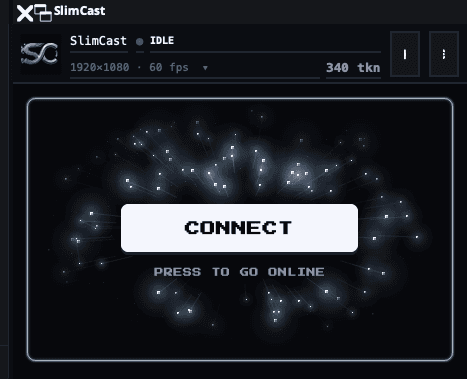
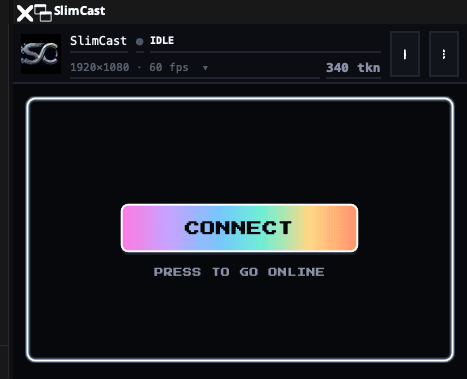
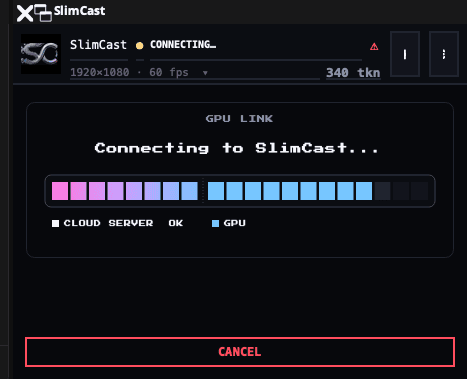
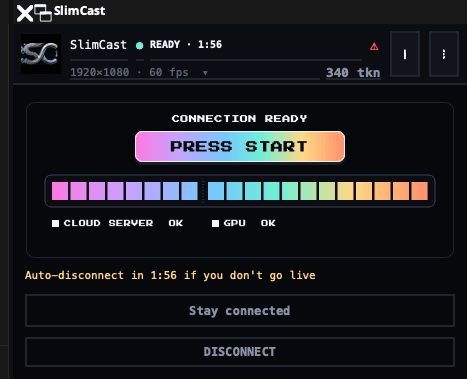
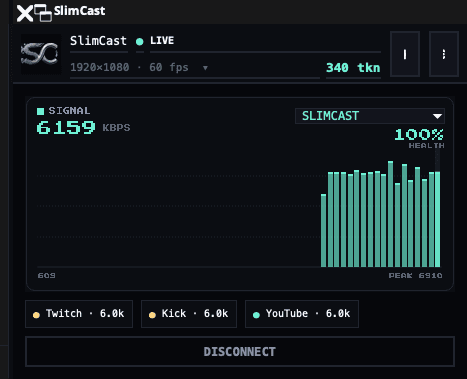
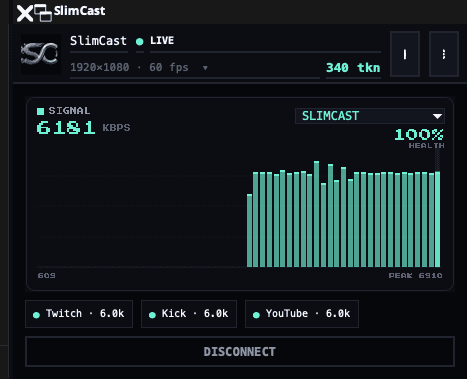
Connect, go live, and watch every platform’s real delivery rate on its own line. Titles, tags and categories go out while the server boots.
SlimChat
Twitch, YouTube and Kick chat merged into one feed. Reply to all three with one message, and moderate with a right-click — emotes and badges included.
SlimCrop
Build a 9:16 picture out of the landscape scene you already have. Different OBS scenes can carry different layouts, and the vertical feed follows.
Built for real-world streaming.
Lives inside OBS
Three docks in the corner of OBS — control, chat and vertical layouts. Your scenes, overlays and hotkeys stay exactly as they are, and you keep pressing the same Start button.
Your PC barely notices
Your machine encodes exactly once, in hardware. The per-platform re-encoding runs on a cloud GPU, so your frame rate stays in the game.
Vertical without a second setup
Compose a 9:16 picture out of the landscape scene you already have — crop it, fit it, or rotate it, and drop in up to six overlays. Different scenes can carry different layouts.
Crashes don’t end your stream
If OBS dies or your power blips, your channels are held live with a holding card for up to 90 seconds — come back and it’s the same stream, same viewers, same chat.
You can see every platform
One line per destination with its real measured delivery rate. If Kick stumbles it reconnects alone, and Twitch never notices — no single light averaging away the truth.
Keys under lock
Stream keys are encrypted the moment you save them and decrypted only on SlimCast’s own trusted servers — never in your browser, the plugin, or the rented GPU.
Three in a click. The rest, anywhere.
Run them all or just tonight’s two — flip any destination on or off per stream, from OBS or the dashboard.
Twitch, YouTube and Kick connect with one authorization. Anything else takes an RTMP URL and a key, in landscape or vertical. TikTok mints a fresh key for every broadcast — that is TikTok’s rule, so it is the one destination you re-paste each time.
Built to stay live.
SlimCast rides on SRT — a transport built for hostile networks — and treats every platform as its own independent delivery. Rough Wi-Fi, a congested uplink, one platform having a bad night: none of it takes you offline.
- Packet loss compensation re-sends what your network drops — no stutter, no grey screen
- A real speed test pushes your actual OBS output through the real route, then reserves headroom for your game
- Each platform is delivered by its own worker: if Kick blips, Twitch never notices
- If OBS dies mid-stream, your channels hold a card — never an offline screen
Only pay while you're live.
Starter is $10/mo, Creator is $20/mo, and Pro is $50/mo — every plan carries every generally available feature, 2K included, with credits metered by the second.